Managing Reference Materials and Control Charts in Bika
Effective management of Reference Materials and Control Charts is essential for ensuring the accuracy, reliability, and ISO/IEC 17025 compliance of your laboratory results. In Bika LIMS, you can easily register and track reference materials and automatically generate control charts to monitor the performance of your analytical methods and instruments over time
Reference Definitions
Navigate to Reference Definitions in the Setup

Press [Add]


Give it a title and description, check the corresponding boxes for Blank and Hazardous
The Blank classification is needed for when setting up Worksheet Templates
Reference Definition Reference Values
Select the the Analyses to be included on this tab and provide them with Expected Result, optionally % Permitted error, and Min and Max values

When an Error % is used, the Min an Max will be calculated but can result in too many decimals in this illustrative case. They then have to be edited manually

Alerts will be raised for Out of Range, OOR, results
Press [Save]
The reference Definition is now ready for downstream use
Reference Samples
When a new reference Sample is taken into use, a record has to be created for it in the LIMS. It is created in it's Supplier's folder. Navigate to Suppliers in the Setup

Click on the Suppliers where the Sample was sourced from. For reference stocks the lab prepares itself, use an 'Inhouse' Supplier

On the Suppliers pages, open Reference Samples and press [Add]

Give the reference Sample a meaningful name, in this case Anions Q2 26 to indicate we are using the Anions Reference Definition, but this specific Sample was opened for the 2nd quarter of 2026

In the reference Definition field, select Anions
To diffferentiate the Reference Sample from similar others, complete Manufacturer, Catalogue and Log number values for it
Capture meaningful Remarks where applicable


On the Dates page, complete the Dates Received - when the samples arrived, Opened and importantly, the Sample's Expiry date. The system will only allow use of valid unexpired reference material
If you have senaite.crms installed, you'll also have the option to capture an Alerts date, the date on labmanagers will be sent an email that the Sample is about to expire

After completing the Dates page, [Save] the form. Bika will automatically complete the Reference Sample's reference Values table, copying them from the Anions Reference Definition
The Reference Sample will now be available for inclusion on Worksheets
Next time a new multi-anion Reference Sample is used, the same Reference Definition procedure is used to easily create another reference Sample

Control Chart
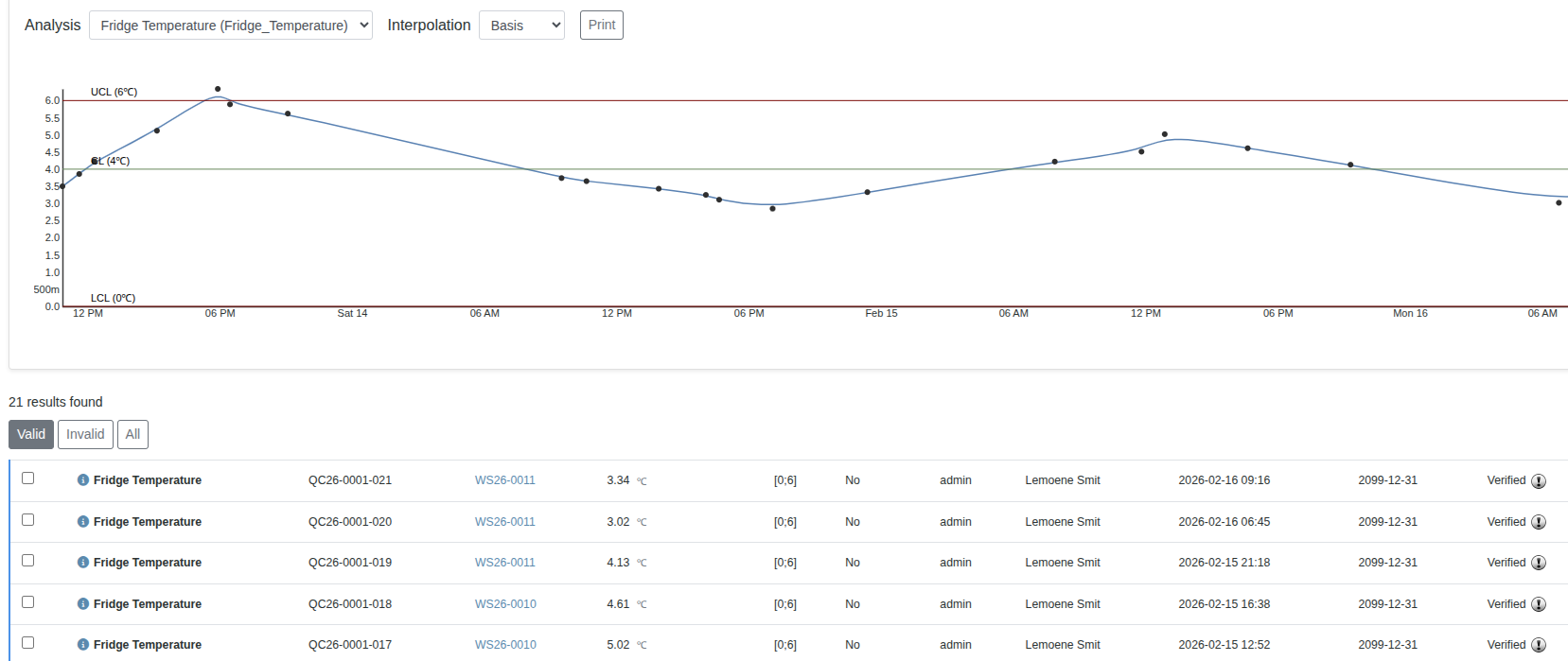
Visit the Reference Sample's Control chart at any time on its Analyses tab
Select which Analysis' results you want tabled and plotted, and what type of interpolation
The page will be empty at first, but slowly fill up over time
A more complete example below