Mixes
How to use Mix information on Batches of concrete or mortar samples
The Mix Testing Story
- A research team produces ideas for Concrete, Mortar or Paste Mixes that have to be produced and tested
- The Mix Designs in the lab’s spreadsheet system, its ingredients and physical properties, is used to make up Mix templates per Sample Batch - at the same time calculating the volume and weight of material required for the number of Samples
- Technicians doing the mixing, print out the Batch’s mix information to measure the ingredients from the spreadsheet
- They capture Mix data during the process to the spreadsheets, e.g. Lab and Mix temperatures
- LIMS Batches have an extra ‘Mix’ tab that is populated by importing a summary of the spreadsheet
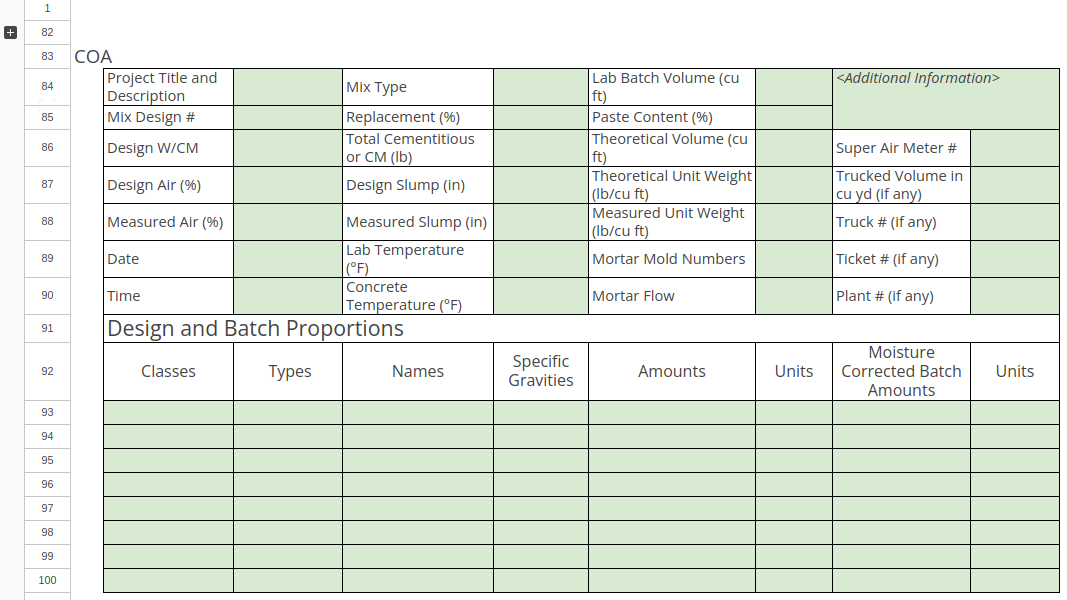
- A Sample’s Mix information, read from its Batch, is included on its COA
- At this stage of development, the Mix tab holds static data only and the information is only used for reference purposes and on the COA, for users to review Analysis results in context
Importing the .XLSM
Mix tab on Batches
Spreadsheet Design format
In this first release, Imperial units are used for concrete and SI units for mortar and paste
The spread sheet can use the first sheet and the top part of the 2nd sheet for raw data capturing, from where summary results are looked up in a COA section
COA layouts for Concrete and Mortar Mixes differ and carry only the corresponding information. The spreadsheet table however is always in the same format for both, only one parser is used. COA layouts
Fields redundant for mortar Mixes, and vice versa concrete, can be empty in the spreadsheet.